

Technology offers RVers various choices for media content and how it’s delivered.
By Mark Quasius, F333630
September 2019
RVing offers the allure of getting away from it all, but that doesn’t mean leaving behind modern conveniences. Today, many RV owners expect entertainment systems similar to those in their homes. As such systems have grown in capability and complexity, using rabbit ears to pick up a signal on a small black-and-white TV has become a quaint memory.
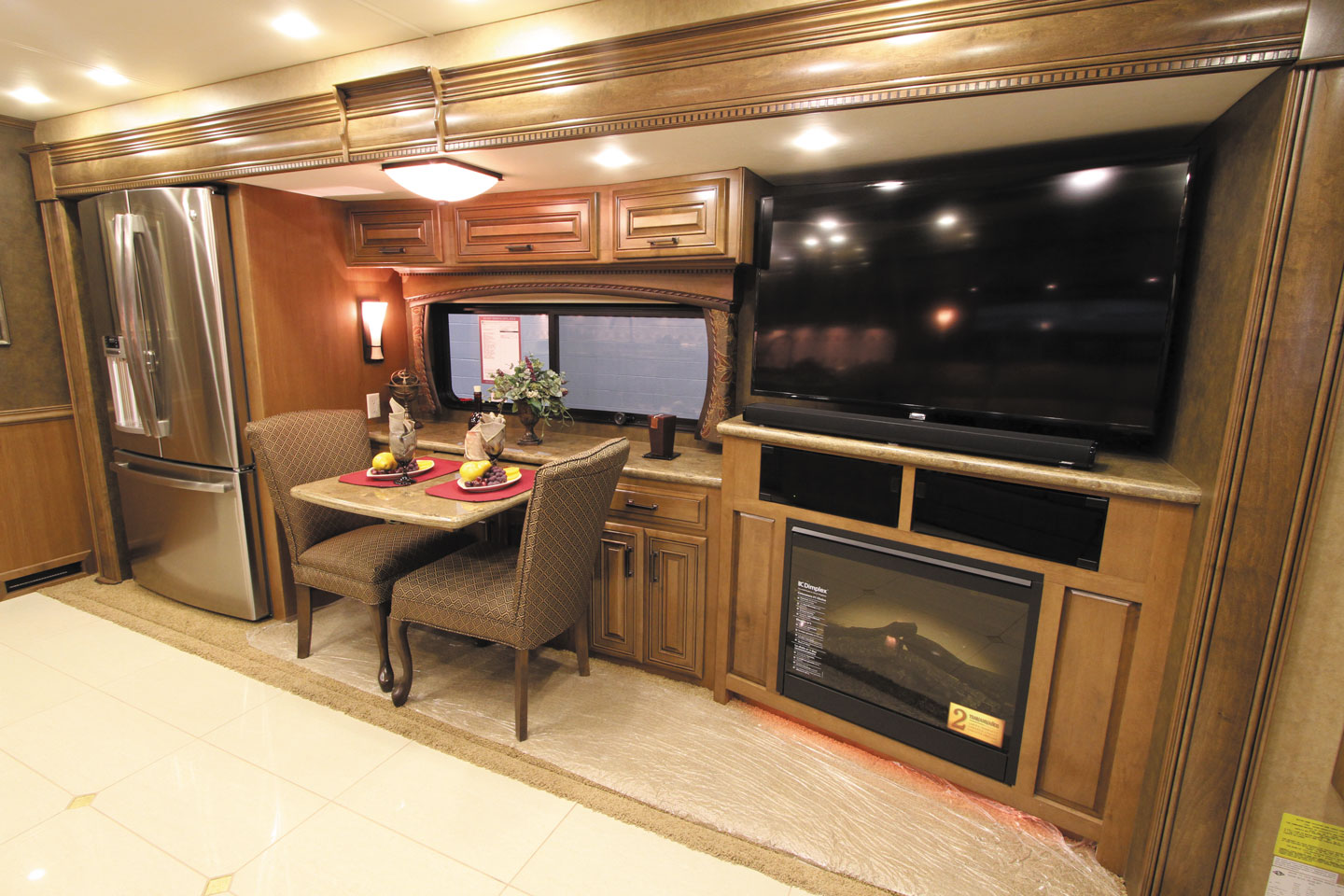
Today’s RVs include all of the comforts of home when it comes to entertainment systems.
VCRs have been replaced by digital video recorders, or DVRs. DVD players are being supplanted by Blu-ray players capable of playing high-definition content. Ultra-HD, also known as 4K, is fast becoming the standard for the latest televisions, with even higher-resolution formats coming. Advances in technology also apply to over-the-air broadcast television. Such stations used to broadcast a single analog VHF or UHF channel, but now digital broadcasting offers multiple channels, many of which are capable of 4K resolution. And thanks to streaming media, users have seen a quantum shift in how they receive programming; they no longer need to watch a given channel at the time of broadcast. Many streaming TV services offer shows within a range of channels that can be streamed on-demand at a customer’s convenience.
Against the backdrop of constantly evolving technology, we’ll help you sort out your choices when deciding what to view and how you want it delivered.
Delivery Methods
Receiving content at home is fairly simple. You can put up an antenna or satellite dish or subscribe to cable TV or a digital subscriber line (DSL) service. But in an RV, things are a bit more complicated.
Years ago, the only way to receive over-the-air TV station channels was a crank-up batwing-style antenna. Over-the-air stations are still popular with RVers, and multiple types of over-the-air broadcast antennas now are available. Many are designed for the new digital channels currently in use. The channels are in the UHF band. Any antenna designed to pick up UHF channels will work, although some models perform better than others.
Cable TV is becoming less popular in campgrounds as a result of the widespread use of satellite TV and live streaming. Many older TVs could connect to campground cable TV just fine, but then cable providers began a major shift from analog to digital programming. Generally, this required a digital converter set-top box, which is okay for residential use but not very well suited to campground use where guests stay for short periods. Some campgrounds converted their digital feeds back to analog, while others migrated away from providing cable TV altogether.
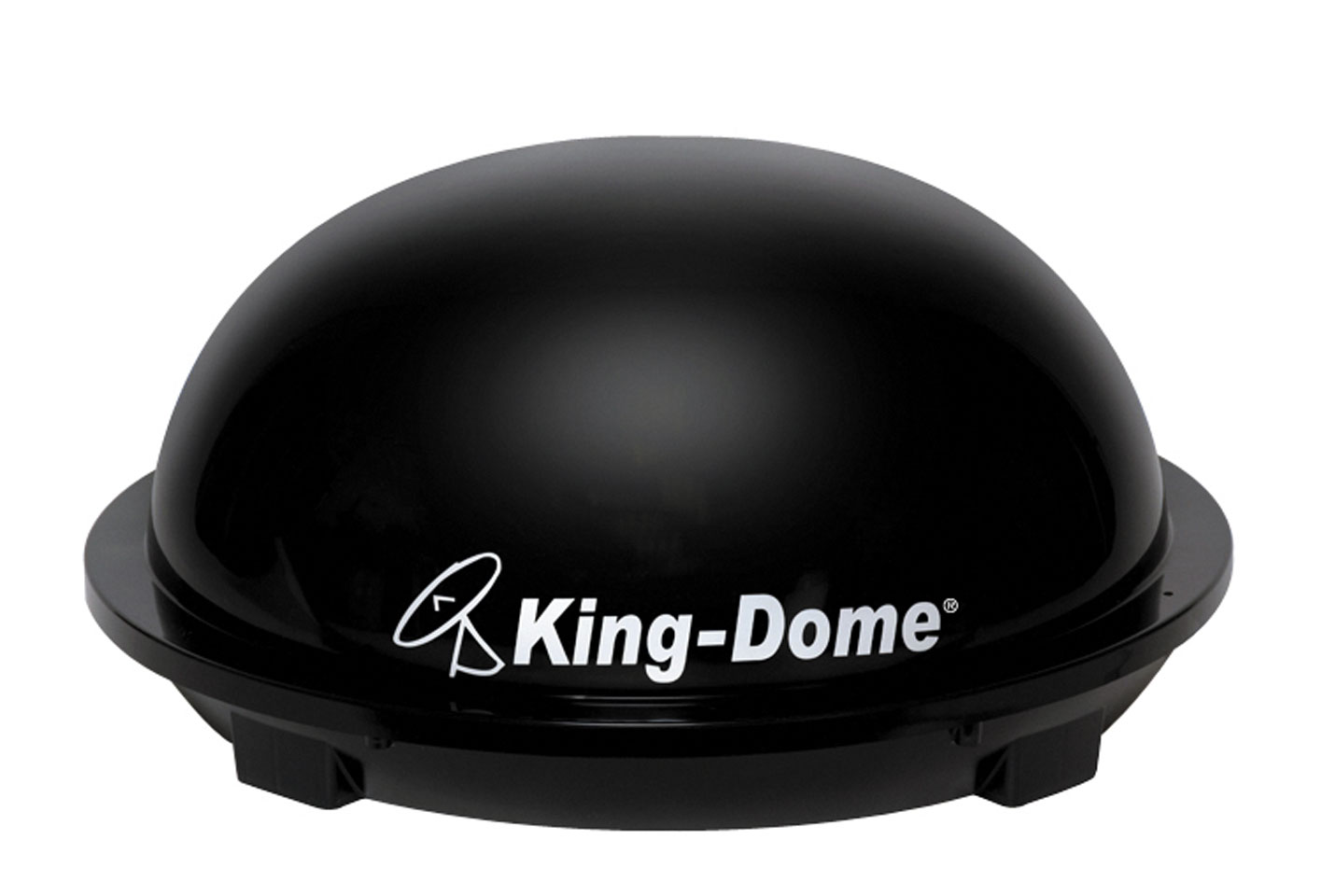
The King-Dome in-motion satellite dish allows for television viewing when stationary or while traveling.
The next big step in delivering TV programming to RVs was satellite TV, such as that provided by DirecTV and Dish Network, or in Canada, Shaw Direct and Bell. Initial offerings involved a dish that had to be aimed manually; the dish was mounted either on the RV roof or on a tripod on the ground. The introduction of automatic units eliminated the need to align the dish manually. Some automatic units are placed in domes that are mounted on an RV’s roof, while others are open-dish versions. In addition, some small portable units can be placed on the ground.
Satellite dishes have the advantage of being portable as long as the dish can get a clear view of the southern sky. They don’t require nearby TV stations, Wi-Fi hotspots, or cell towers, so they work well even if you are parked in the middle of nowhere. However, there are tradeoffs. Satellite TV can lose signal strength if you are in an area with heavy tree cover, or during heavy rain and cloud cover.
The latest trend in entertainment delivery uses an internet connection to stream multimedia to TVs. Streaming live video requires quite a bit of bandwidth, so if your subscription with your internet service provider (ISP) provides a limited amount of gigabytes per month, you must be careful about how much streaming you do. Exceeding your allowance may cause service to be throttled, slowing it down signifantly, or you might incur additional charges.
Internet can be obtained for an RV in a number of ways. One is via Wi-Fi from a nearby hotspot or campground Wi-Fi network. However, many campgrounds limit your bandwidth and may not allow streaming of live video. Even if there are no restrictions, the signal may not be strong enough for streaming, because of the demand from others sharing the bandwidth.
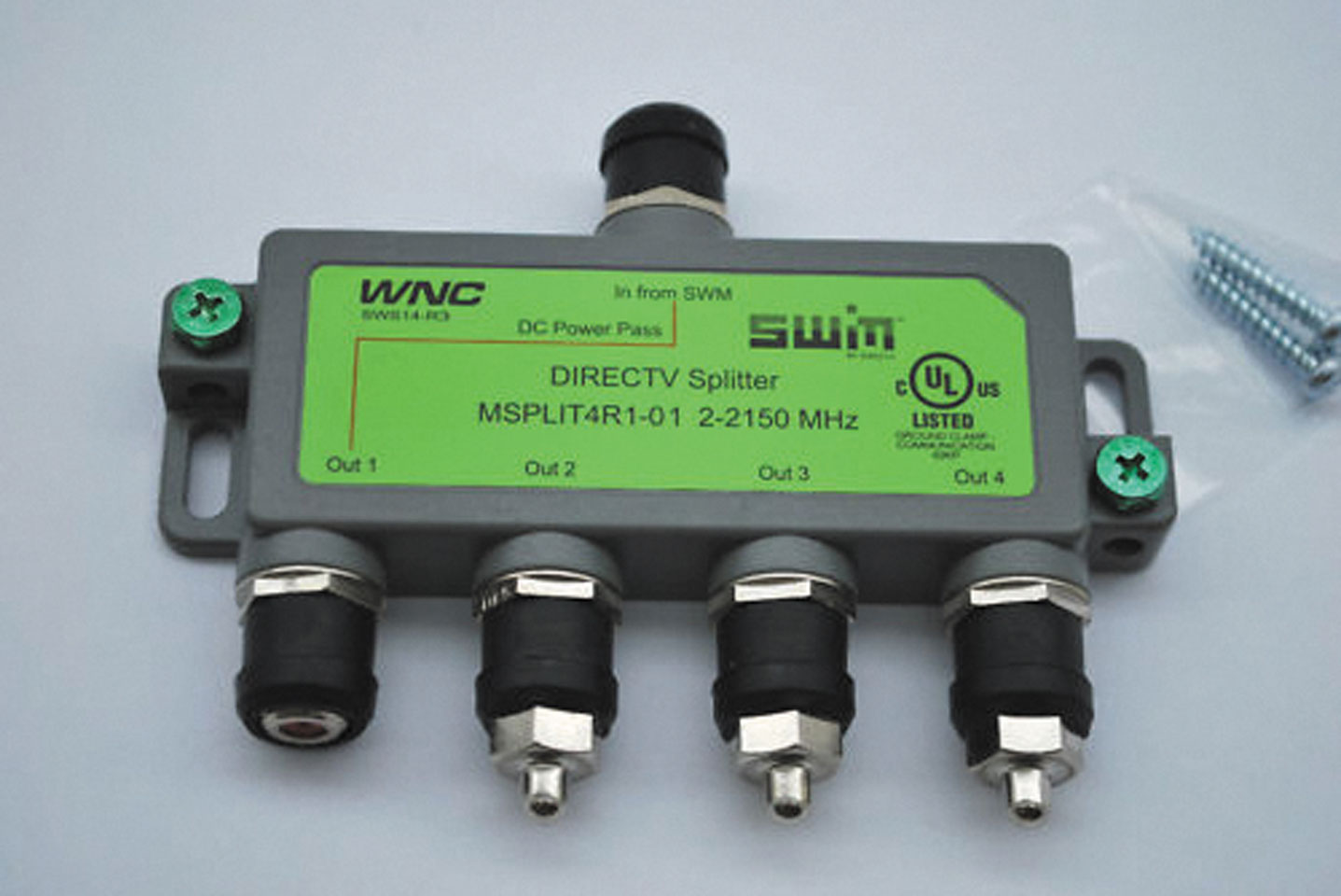
This SWM-compatible splitter is used for satellite dish signals.
Another way to get internet is with a cellular subscription from a major provider of cell service. You can install a router that connects to a SIM card to bring in streaming and broadcast it on a local private Wi-Fi network within your RV. Again, if you do not have an unlimited package, you will need to watch your bandwidth usage.
Internet access also is possible via a satellite internet service, such as HughesNet. Access to a local Wi-Fi hotspot or nearby cell towers is not necessary, so the service is truly portable. The same pros and cons apply as for a satellite TV dish, except a different satellite is used. Therefore, the services require two separate dishes. Again, a subscription may have bandwidth limits.
Once the RV has internet, you can decide among the major content streaming services, such as Netflix, Sling, Hulu, Amazon Prime, or other providers. Generally, these are paid subscriptions, so you’ll have to consider that cost as well as the price of internet access when determining your true cost. A service such as AirTV is free, but you have to buy its converter box up front, which begins at $79.99.
Content
With an over-the-air broadcast antenna, reception is easy and free. You receive only local TV stations, so if there are none in your vicinity, you’re out of luck. But if stations are available, the choices generally are better than those of years past. Digital broadcast TV features the normal network feed plus local news, and additional channels also are available. Some of them show old movies or syndicated series, while others may be dedicated to local news or weather. The important thing is to make sure you have a good over-the-air antenna with a powered amplifier.
When out of range of broadcast TV stations, you usually can rely on satellite TV as long as your dish has an unobstructed view of the southern sky. Of course, services such as DirecTV and Dish Network charge for a subscription, which varies according to the number of channels or add-on services selected. Satellite feeds feature national networks. People with satellite service at home possibly can remove a receiver and place it in the RV. Often, local channels can be included in your subscription, but they are sent on a spot beam to comply with FCC laws.
If you leave your home area, you may lose access to your local broadcast channels. However, RV-only users can register with their satellite provider and subscribe to Distant Network Service (DNS) feeds, which are the national ABC, NBC, CBS, Fox, and PBS feeds from either the East Coast or West Coast. That way, you have those channels as you travel, although you won’t get local news or weather. An antenna might be a less complicated solution, unless you’ll constantly be in an area well beyond the reach of most broadcast towers.
Live streaming content varies according to the provider. Netflix, Sling TV, Hulu, and Amazon Prime are gaining in popularity, and each has different levels of programming, offering consumers plenty of choices. Live streaming is possible on any internet-capable device, such as a computer or tablet. Many — but not all — smart TVs are equipped to handle live streaming services. If your smart TV won’t directly interface with a certain provider, an intermediate device may have to be installed. If you do not have a smart TV, such boxes will be required anyway. Many streams can be fed directly to an Xbox or Roku box as well as a smart TV. Apps are available for iOS or Android devices, so tablets and smartphones can access those streaming services as well.
Several options exist for recording programs for later viewing. Stand-alone DVRs can connect to over-the-air or cable TV feeds. Use the DVR menu to select recording options.
If you subscribe to satellite TV, a receiver allows you to tune into a desired channel. Your provider can replace the receiver with a DVR that performs the functions of the receiver and the recorder. Then you can set up wish lists, season passes, and a number of recording options.
Live streaming services vary in the way programs are recorded. Some don’t offer recording, because almost anything can be viewed on demand just by selecting a desired episode from the menu. AirTV allows shows to be recorded, but an external hard drive must be added to the AirTV box.
Components
Smart TVs and standard TVs usually have multiple inputs that can connect to a number of sources, including a coaxial cable feed from the over-the-air broadcast TV antenna. Many RVs are now equipped with home-theater systems that utilize a surround-sound unit with a number of inputs that accept feeds such as a satellite TV receiver or DVR; a DVD or Blu-ray player; a laptop PC; and even an output from the in-dash navigation system. All these input sources are selected via the remote control and switched to one common output jack, which generally is a high-definition multimedia interface (HDMI) digital connection to the TV. In some cases, the surround-sound system also has a DVD or Blu-ray player built right into the box. Audio output from any of these sources is sent to a surround-sound speaker system and subwoofer.
Smart TVs and smart Blu-ray players can connect to an internet router via a Cat 6 cable or Wi-Fi so that they can access online streaming media. Some devices, such as Amazon Fire TV Stick or Google Chromecast, attach to the back of the TV to connect wirelessly to the Wi-Fi network, eliminating the need for a hardwired Cat 6 cable. Separate devices, such as AppleTV, also can be used. Use the menu system on these devices to interface with internet programming.
Satellite TV subscribers have either a receiver or a DVR to interface between the satellite dish and the TV. The supplied remote control displays menu options on the TV screen so you can change channels and, in the case of a DVR, select recording options.
Connections
All these devices must be connected to create a complete system. RG-6 coaxial cable is used to bring in feeds from a cable TV connection, a satellite dish, or from an over-the-air broadcast antenna. Coaxial splitters allow a single input to branch off into two or more outputs. A satellite dish using single wire multiswitch (SWM) technology requires a power inserter. It sends power through an SWM-compatible splitter to allow DC voltage from the inserter to pass upward to power the satellite dish’s low-noise block downconverter (LNB).
Digital video and audio are transmitted easily via HDMI cabling, which handles HD and even 4K video. HDMI’s bidirectional capability allows devices to communicate with each other. In addition, copy protection is possible with digital video, which is why content producers pushed to make it the standard. Digital video can be sent to multiple TVs via an HDMI distribution amplifier, which commonly has one input and four outputs.
In longer lengths of HDMI cable, signal quality degrades. If longer runs are required, it is possible to use Cat 6 network cabling by installing an electrical device called a balun at each end. One balun passes the HDMI signal to a Cat 6 network cable. At the receiving end, another balun passes the signal back to another HDMI cable, which connects to the display. The baluns can be passive (not powered) or active (powered by a small AC-to-DC transformer).
HDMI cabling is extremely hard to repair, so if a cable connector is damaged, you may have to replace the entire cable. If your RV has a long HDMI cable that you plug in and unplug frequently, it’s a good idea to add a small whip cable (also called a pigtail) at the end. That way, damage is likely to occur on the short replaceable cable rather than the long main cable.
On a final note, wireless Bluetooth communication is gaining in popularity and can be used to stream audio and some video within an RV.
As you can see, RV entertainment systems can provide media content in many ways. Each method has its pros and cons. Often, a multifaceted approach offers flexibility to choose the best way to use your system at any given time. Regardless, you won’t have to dig out that old black-and-white TV and rabbit ears.
Changes In DirecTV Service
In 2018, some DirecTV customers with older equipment in certain markets began receiving notices that a free equipment upgrade would be needed in order to receive future service. The upgrade is part of a program that phases out use of standard-definition (SD) signals that utilize MPEG-2 audio and video compression, which company officials say is less efficient than MPEG-4. According to an AT&T spokesman, qualifying customers can upgrade their existing SD/MPEG-2 receivers to HD/MPEG-4 receivers, which are compatible with existing TVs and should be compatible with third-party RV antennas and portable satellite Ku antennas.
Once the local channel SD/MPEG-2 signal is shut down, Ku band antennas will no longer be able to receive local channels (which typically are available only in a customer’s home market). These customers may continue viewing national programming, but it will be in SD format until DirectTV begins transmitting national HD channels in the Ku band.
The phase-out of local programming will occur on a rolling market-by-market basis, and began in the second quarter of 2019, the AT&T spokesman said. The SD/MPEG-2 signal for national programming is scheduled to be shut off in the first half of 2024.
DirecTV will continue to contact impacted customers on a market-by-market basis. Customers may need to wait for a notification to upgrade. For more information, contact DirecTV.
— John Johnston, Associate Editor