
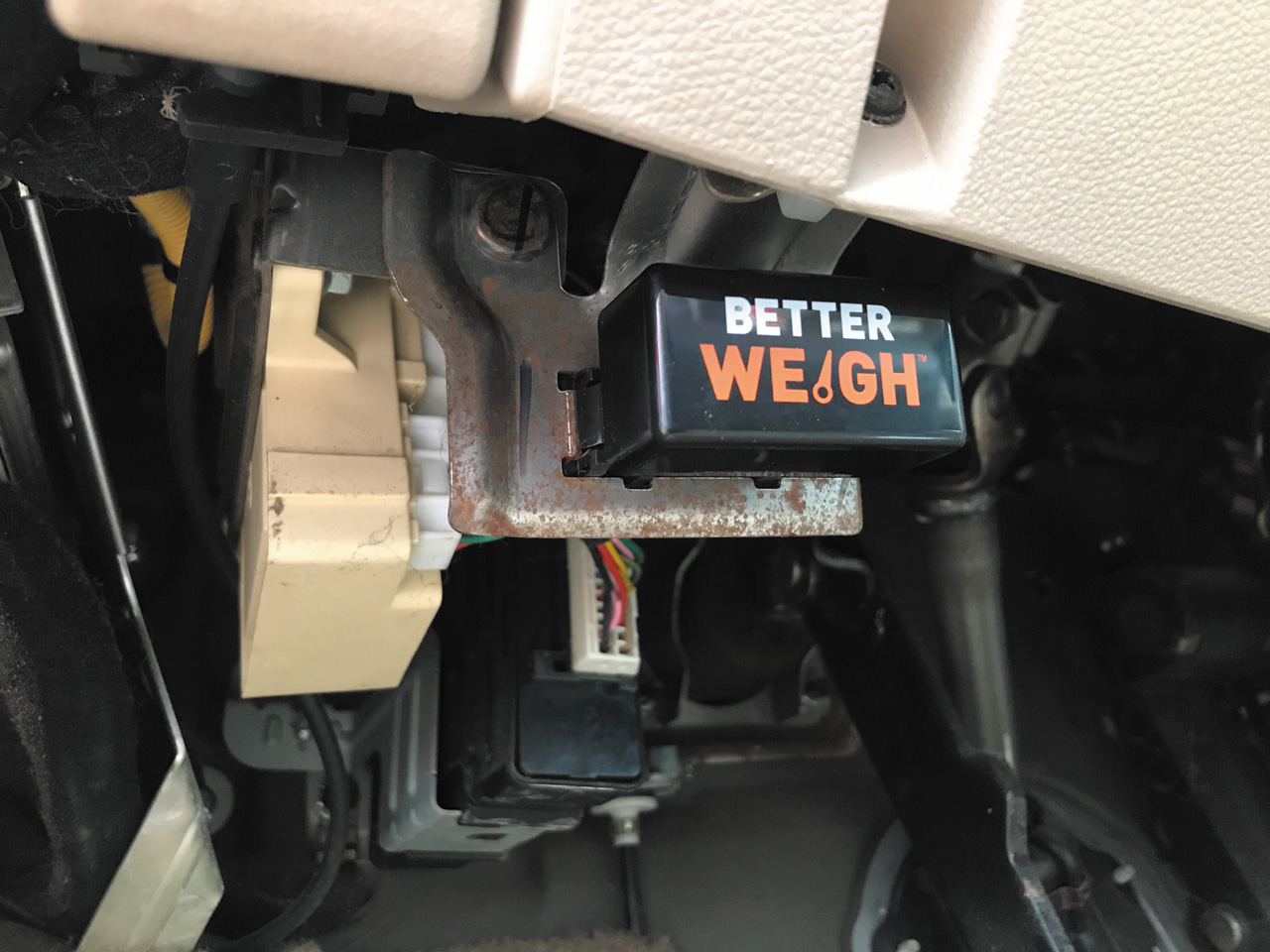
Curt Manufacturing’s new BetterWeigh mobile towing scale offers real-time data and a convenient way to keep watch on RV weights.
By Steve Froese, F276276
June 2021
Many articles have been written about the importance of weighing your RV, including several by yours truly. Knowing the weight of your RV is critical for many safety reasons, such as being able to inflate each tire to the correct pressure so it can safely support what it is carrying. Until recently, RV owners had to visit places such as commercial truck scales or have their units weighed at FMCA international conventions. While these are still popular ways to get the vehicles weighed, a well-known pro in the trailer towing market, Curt Manufacturing, has found a way to make the task of weighing RVs quick and easy. It recently released its BetterWeigh mobile towing system ($130.45), and in this article, I offer a review.
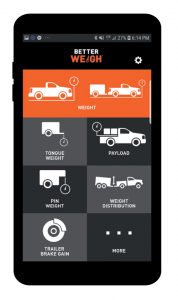
The BetterWeigh smartphone app is available for Android and iOS products.
Imagine being able to determine the vehicle and trailer weights of your towing combination, as well as tongue, payload, and pin weights, plus weight distribution — all in real time. The BetterWeigh does all of that and offers the ability to calibrate trailer brake gain. The one important thing BetterWeigh does not do is calculate individual wheel weights for tire loading, so it is still vital to have your RV weighed properly.
The BetterWeigh performs its magic by communicating with the vehicle computer through the OBD-II (on-board diagnostic system) port and then uses Bluetooth technology to display its findings on a smartphone app available for both Android and Apple products. The system uses a proprietary technology known as “TowSense” in conjunction with an accelerometer to detect changes in pitch, acceleration, and velocity of the vehicle. It uses that data to calculate changes in the weight of the vehicle. It’s said to be accurate to within 5 percent.
The system provides information about vehicle and trailer weight combinations.
Those of us who remember the works of Isaac Newton from high school physics class know that his second law of motion states that the acceleration of an object is directly related to the net force, and inversely related to its mass. Acceleration of an object depends on two things: force and mass. In other words, force (F) equals mass (m) times acceleration (a), or F=ma.
In a vehicle, the force is determined by measuring the slip across the torque converter in the transmission as the vehicle accelerates. The acceleration is known, as it is measured by an accelerometer built into the BetterWeigh. Since acceleration and force are known, Newton’s formula is used to determine the unknown mass.
Once the BetterWeigh is calibrated, it can be used to measure mass in real time, while in motion or stationary, and on level ground or on a slope.
My family has a diesel-pusher motorhome, and we tow a car dolly, so utilizing the BetterWeigh would be a great way to monitor weights on this combination. Unfortunately, the system does not work with the J1939 data bus on the diesel chassis. In fact, the BetterWeigh is not well-suited to motorhome use, diesel or gas. It is hoped that Curt will be able to provide this functionality in the future, but for now, the system is best suited for use with vehicles that tow travel trailers. It works with any 1996 or newer vehicle that has an OBD-II port and an electronic torque converter, the latter of which is required to calculate the forces. Company information notes that functionality on vehicles with manual transmissions is limited to payload, tongue weight, pin weight, and weight distribution, and functionality is limited on vehicles with automatic leveling suspensions.
Since I could not test the device on my motorhome, I decided to use it with my daughter’s tent trailer/SUV combination. This actually is a better test than my diesel motorhome would have been, since the SUV weight readings are much more critical, and much closer to the gross combination weight rating (GCWR). Similarly, the system will come in very handy for any RV trailering combination, especially given the real-time data it produces.
The first task when using the BetterWeigh system is to plug it into the OBD-II port, download the BetterWeigh smartphone app, and pair the devices together. Then it is time to perform the rigorous calibration procedure that ensures the device can display accurate results.
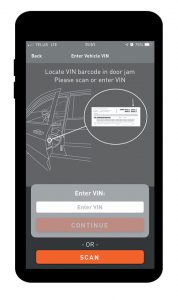
Basic vehicle data is entered into the app.
The first field that must be entered is the towing vehicle’s vehicle identification number (VIN). This can be done manually or by using the app’s built-in scanner, assuming the VIN is readable. According to Curt officials, many vehicles are already entered into their database, so entering the VIN may automatically populate most of the other fields, such as gross combination weight rating (GCWR) and GVWR.
Unfortunately, for all three vehicles I tested (ranging in model year from 2004 to 2016), none was able to automatically populate. It is unknown why none worked, although it may be due to the fact these were all Canadian vehicles.
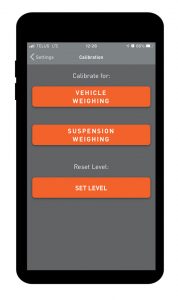
Users also complete and enter several one-time calibrations.
For vehicles in which the app does not automatically fill in the fields, a large number of variables need to be entered. Many of these can be difficult to find, and you may need to refer to the vehicle ID plate on the driver’s side pillar or other resources. On the test vehicle, some of the weight rating digits were no longer readable, so I had to do a quick internet search for part of the data.
Following the data entry process, the unit has to be calibrated. It is important to note that the data entry and calibration are one-time tasks for each vehicle, so once they are performed, it’s just plug and go. You also can leave the BetterWeigh plugged into the OBD-II port, unless you or your mechanic needs to use it for diagnostics. The phone app walks you through the calibration, which consists of things such as driving in a straight line at 15 mph at varying acceleration rates of light, medium, and full. While these calibration steps
are fairly trivial in theory, in practice they can pose a bit of a logistical problem. For instance, the driving maneuvers may not be easily or safely performed in certain residential areas, so you will need to find an area large enough for the tests. The other calibration sequences, such as tongue weight, payload, and weight distribution, are easier, as they are completed while stopped. Without the ability to automatically populate the data, the app took me 45 minutes to calibrate. As mentioned, this is a one-time process, so it’s not a big deal, and it is made much easier if the auto-populate function works.
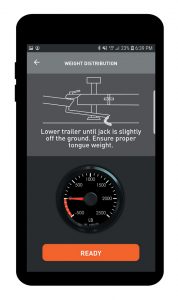
The BetterWeigh system calculates weight distribution
The smartphone menu is clear, with nice, large icons, and it was great to have real-time feedback on vehicle, combination, tongue, and pin weights. The weight distribution screen provides information in graphical format separated into front axle, rear axle, and trailer. This can be invaluable in understanding the relationship between the towing vehicle and the trailer, especially in combination with equalizing hitch systems.
I found the payload function particularly useful. Even without a trailer, the BetterWeigh can be used to display how much load you are carrying in your vehicle, which is great for pickup truck hauling. The device also can be used to set your brake controller gain value.
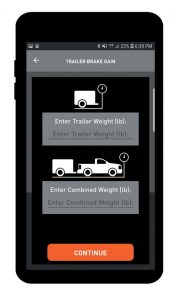
Trailer brake gain and other data are calculated also.
The smartphone app is well presented and easy to read. The help section takes you to a phone number and website link. At the time I reviewed the system, a number of app features were not yet implemented by Curt. I am sure in time they will add many more useful features to an already great product.
Curt also manufactures a Bluetooth brake controller called the Echo Smart. This device utilizes a smartphone app, as does the BetterWeigh, which makes using them both at the same time problematic. However, the BetterWeigh implements the brake gain feature, so there is really no reason to run the Echo app when using the BetterWeigh.
Not everyone who has reviewed the BetterWeigh was able to achieve consistent results with it. All in all, though, during my analysis, I found the BetterWeigh to be a fantastic device that may well revolutionize towing safety and information feedback. As the company continues to develop the product, its usefulness likely will expand to a greater number of vehicles.
Just remember to secure your phone and keep your eyes on the road!
More Info
Curt Manufacturing
www.curtmfg.com
(877) 287-8634