
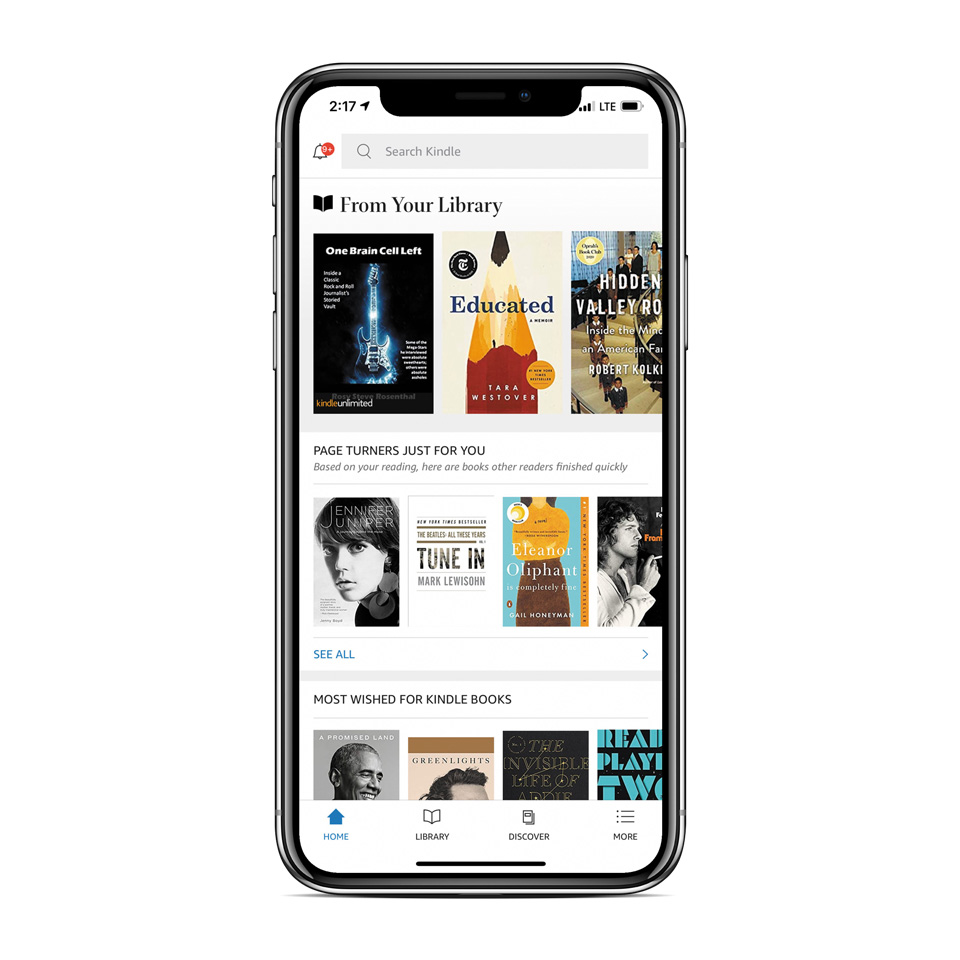
The reduced space available for carrying books in an RV may launch a virtual collection you can store — and read — on your electronic devices.
By Chris Guld, F349932
January 2021
I love reading books, but there was a time, during our first few years of living in an RV, that I didn’t get much reading done. My husband, Jim, and I sold our house and moved into an RV in 2004. We had to dispose of most all of our belongings. The hardest thing to part with was our bookshelves full of books. We could take only a handful of books with us, leaving us to wonder how we would obtain more when we were done reading those. Most RV parks have a place where you can leave a book and pick up another, usually in the laundry area. But rarely would I find a book I wanted, and even more rarely would we go to a library while living on the road.
We are no longer full-time RVers, but we still travel a lot in our little Roadtrek motorhome. I’m so glad I learned to read books on my phone, because I can carry as many books as I want, right in my pocket.
My Phone Stores A Library
I don’t even need a Kindle device to use the Amazon Kindle app, because it works the same on my Android phone, my iPhone, my iPad, and my Android tablet. If the book has an audible version, the phone can play that, too. Jim’s and my primary method for passing time on the road is to listen to audible books stored on our phones and played through the RV speakers.
Reading On A Phone Is Convenient
I actually prefer my phone for reading versus paper books and also versus tablets/iPads or e-book readers. Why? Because the phone is small enough to hold with one hand (leaving the other hand free for that glass of wine), and it’s light enough that my hand does not become tired. I can set the font size and the screen lighting/colors so that they are comfortable for my eyes, whether I’m in a beach chair in the bright sun or in bed in the middle of the night.
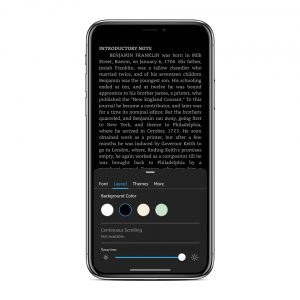
Smartphone users can set type size and screen color for convenient, portable reading.
The main reason I like the phone app is because my phone is always with me. I’m prepared with a book to read any time I catch a bit of time to do so. Whenever I open the book, it takes me right back to where I left off. If you’re worried about how a book will look on that little screen, realize that a lot of adjustments are available. Check out this little video to see how it works: bit.ly/2KcvDU6.
Buying New Books – Instant Gratification
It’s so easy to get a new book. Recently, while on vacation, I finished the book Mrs. Hemingway, which I had downloaded for the trip. I started asking the other people in our group for book recommendations. At least two readers highly recommended Where the Crawdads Sing. As soon as I heard the title, I could tap the Kindle icon on my phone and search for it. I purchased, downloaded, and started reading it. By dinnertime I could discuss the book with them. Imagine how many days, weeks, months — or never — that would take if I insisted on reading paper books.
Google Play Books
Actually, I didn’t even use the Kindle app that time. Google Play Books is very similar, and it comes on most Android devices. Just look in the Google group of apps. As long as you have a Google account and have attached a credit card to it, you can purchase books. For Kindle, you need an Amazon account.
If you have an iPhone, you can still use the Google Play Books app to read a book, but to buy a book you have to use a web browser to go to Google Play Books. Same with Kindle on iPhone — you need to use a web browser and go to Amazon.com to buy a book, and then you can read it on the iOS Kindle app.
Searching And Highlighting Passages
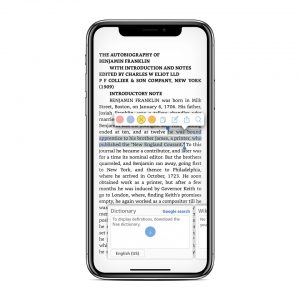
Highlighting text passages is possible in both the Amazon Kindle and Google Play apps.
A couple other features I really like with books on my phone is that I can highlight passages and I can search. Those books and the highlighted passages are accessible to me forever. This is especially useful for nonfiction titles. Let’s say you purchased the Kindle version of my book — Learn Google Photos 2020 — and you want to remember how to set up a group photo album. You could highlight the passage and quickly find it any time just by opening the book on your phone and searching for “albums.” Your search results would show any highlighted passages with the word “albums” first. If perchance you didn’t highlight that part, search will show you every place the word appears in the book and give you the context. You can click on an item from the search results and be taken to that page in the book.
Amazon Kindle Versus Google Play Books
I have discovered two differences between Kindle and Google Play Books. Number 1 favors Kindle and number 2 favors Google.
Difference one: When you buy a book using Kindle, you are prompted to add the audible book to your purchase, if there is one. I often buy both the e-book and the audible version. For some books I also have the paperback version. One way or another, I’m going to finish that book. In the Google Play Books version, the e-books are completely separate from the audible books. Pricing example: Homo Deus — Kindle: $14.99 plus $12.99 for audible; Google Play Books: $14.99 plus $19.95 for audible.
Difference two: When you highlight sections of books using the Kindle app, those highlights stay with the book. With Google Play Books, your highlights are all collected in Google Drive. Very handy.
Download A Sample
I was just watching TV and saw an interview of an author promoting a book. I have no idea whether I’ll really like the book, but it sounds intriguing. Both Kindle and Google Play Books allow me to download a free sample. So, I can read a bit and decide whether I want to buy it. I love that.
So, what are you reading? And how are you reading it? Paperback? Tablet-sized e-reader? Anyone else like reading on your phone as much as I do on mine?
Chris Guld is president and teacher-in-chief at GeeksOnTour.com. She and her husband, Jim, have presented seminars at FMCA international conventions and other events and venues across the United States.