
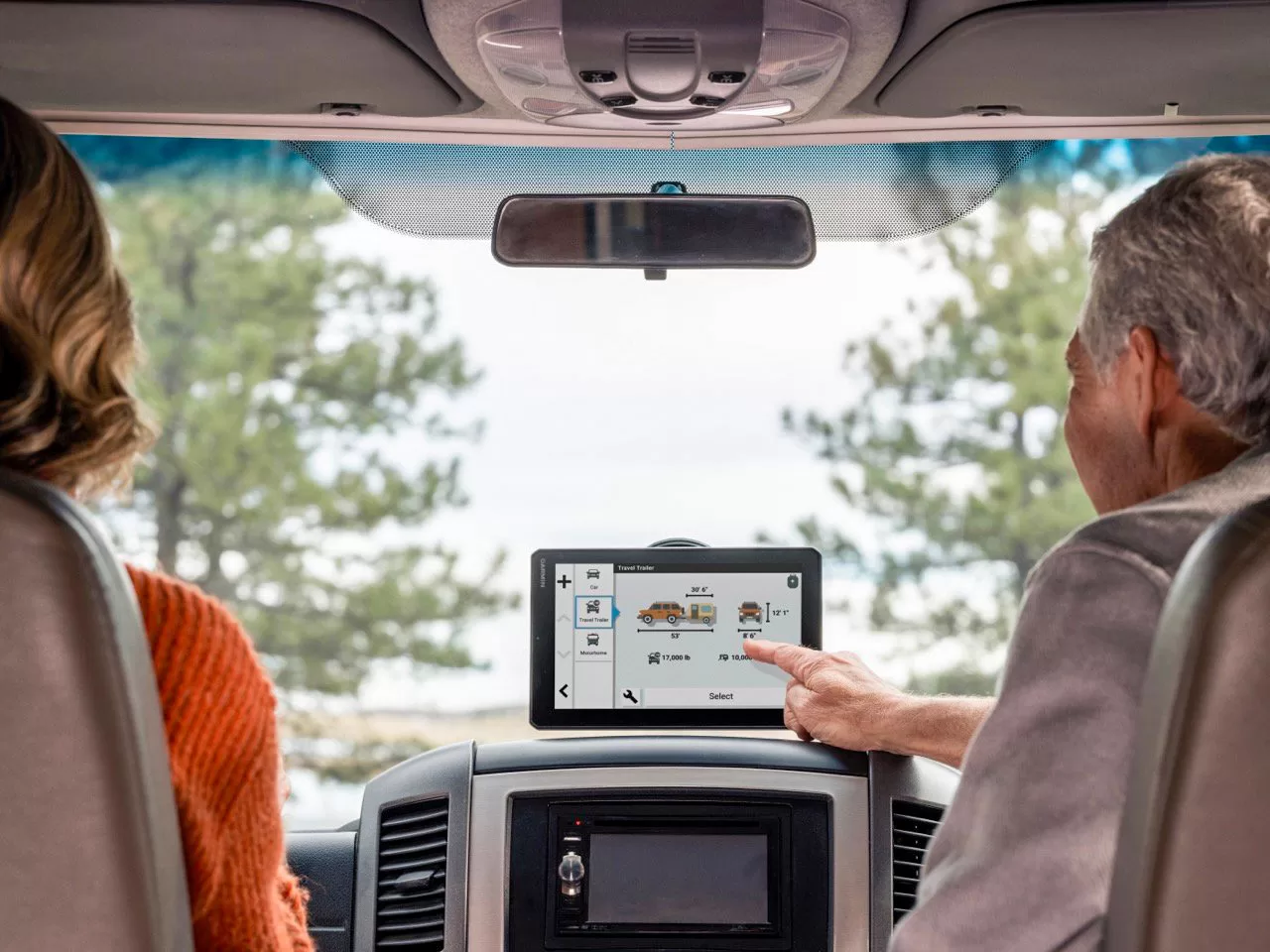
The Garmin RV 1095 and RV 895 are well-rounded choices for RV owners.
By Mark Quasius, F333630
April 2024
When we first began to travel, taking along a handful of road maps or a Rand McNally road atlas was vital. As global positioning system (GPS) technology became available to the public, the need for paper maps and a copilot capable of relaying directions to the driver diminished. As with any technology, early versions of GPS hardware and software for consumers had issues and limitations. Improvements and updates occurred over time. The biggest concern for RV owners was that most GPS devices were designed for navigation while driving passenger cars, not large vehicles.
The GPS units’ software generally didn’t allow input to differentiate the needs of a large vehicle versus a car, so it was common to be led down roads that turned into tight quarters, to bridges that could not support the weight of an RV, or to places where an RV could not turn around. This hurdle was overcome in recent years, as GPS software eventually incorporated programming with large vehicles in mind.
These GPS units were initially small and a bit hard to see in a motorhome’s large cockpit. More recently, Garmin has created what I consider the ultimate GPS unit for large recreational vehicles.
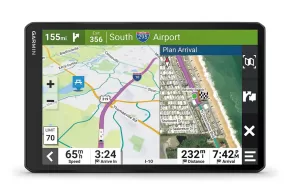
The Garmin RV 1095 is loaded with features designed to make trip routing and RV travel easier.
THE SOLUTION
Garmin formerly offered the RV 890 GPS unit with an 8-inch screen. This unit was later improved and branded as the RV 895; a sister product, the RV 1095, comes with a 10-inch screen. These small, tablet-style, handheld units can be powered by an internal battery or placed on a magnetic dock mounted in an RV. When the unit is placed on the dock, a power cord allows unlimited battery life, as it relies on 12-volt power to keep the rechargeable battery in the GPS unit charged. Each device is easy for copilots to use, since it can simply be lifted off the mount as needed.
I first saw the RV 895 in a Newell coach that I test-drove for an earlier article in Family RVing magazine and was impressed with it. When the in-dash unit in my personal motorhome was no longer serving me well, I decided to replace the combination navigation/entertainment device with a separate entertainment system and one of the new Garmin GPS units. The 895 and 1095 are virtually identical in features, so it was just a matter of selecting the screen size that worked best for my motorhome. I chose the RV 1095, because it wasn’t so large that it blocked my vision, and I could locate it within arm’s reach. Plus, my eyes aren’t getting any younger, so the larger screen was best for me and my Entegra coach.
FEATURES
The RV 895 and the RV 1095 are loaded with features designed for RV owners. You can enter your RV’s height, weight, length, and other specs into the GPS so the software will know not to send you down low-clearance roads, across bridges that are not capable of supporting your RV’s weight, or along routes with other restrictions that pertain to your vehicle. It is equipped with Bluetooth, so you can tether your smartphone to it if you want to use it to answer calls. It also has Wi-Fi, so you can use it to access the internet and various third-party apps. In addition, a USB cable is included so you can download maps and software updates from a computer via the Garmin Express software. The unit can be used in a horizontal or a vertical orientation.
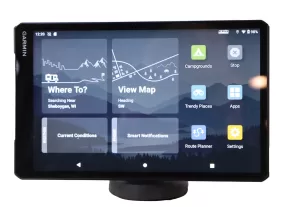
The home screen of the RV 1095 puts various options at RV owners’ fingertips.
An elevation profile map tool displays any steep grades along your route, and a campground and services directory will help you plan your trip and direct you to them while navigating. Voice command allows you to speak to the unit to verbally enter commands and addresses. If you are connected to your smartphone via Bluetooth, you can access Garmin’s live traffic updates using the Garmin Drive phone app. When planning a route, you can use BirdsEye satellite imagery to see what the area looks like. As you drive, the route can be modified via one touch on the screen. The audio directions can also inform you of turns based on landmarks, buildings, and traffic signals.
Multiple vehicle profiles can be stored, so the system can be used for autos, trucks, or recreational vehicles. Active lane guidance, a track recorder, and a trip computer are also included, as well as Tripadvisor ratings of points of interest (POIs) in your area. Expected weather along your route is also shown. In a nutshell, there’s more software capability in this unit than most RVers will ever use, and there’s really nothing lacking.
INSTALLATION
My installation process began prior to my purchase. I made cardboard cutouts identical to the sizes of the RV 895 and RV 1095. I taped them in suitable positions all over the cockpit — some overhead, some on the dash, some to the side, etc. I then sat in the driver’s seat and checked to see whether any of those locations blocked visibility, whether I could see the screen without glare, and whether I could reach the touch-screen to make any quick adjustments. I also tested both sizes and found that the larger RV 1095 was the better choice and that the top of the dash would be the best location. I ordered the RV 1095 from Crutchfield, along with a new Alpine dash entertainment system, and waited for UPS to show up with the goods.
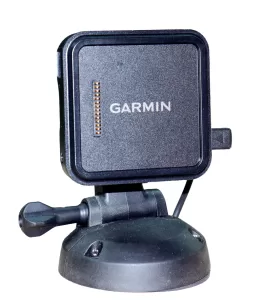
The Garmin GPS comes with a magnetic mount to hold the unit in place and can be secured to the dash or overhead cabinet using the screw-down base shown here.
The Garmin comes with a magnetic mount. The actual magnet part is used to hold the flat GPS unit to the mounting arm so that it can be easily removed and reattached. The magnetic mounting arm is equipped with a suction cup swivel base designed to mount to a windshield (it should be noted that windshield mounts are illegal in many states). It also comes with a screw-down permanent mounting base, which is what I used to install the GPS in my motorhome. I removed the suction cup base from the mounting arm and replaced it with the screw-down base. I then fastened it to the dash in the place I had chosen during my testing.
The next step was to supply power to the unit. The RV 1095 has a rechargeable internal battery that can operate the unit for up to two hours. That’s not enough for a day’s drive, but the RV 1095 is equipped with a micro-USB jack. A 12-volt power cord is supplied so that you can plug into a 12-volt receptacle to keep the battery charged. A regular USB-A to mini-USB plug is also included to use when connecting to a computer.
An optional hardwired power cable is available from Garmin if you want to connect the device directly to your vehicle’s electrical system. I didn’t want a power cord dangling down my dash, so I decided to hardwire the unit in to a mini rocker switch on the instrument panel. Rather than order the $89 optional cable, I just lopped off the power plug and wired that cord into my electrical system. I drilled a small hole in the dash directly behind the mount and fished the cable through, so it was not noticeable. I connected it to the switch, which was then connected to a fused 12-volt battery-hot source behind the instrument panel. Installation finished! We were ready to boot up the GPS.
OPERATING THE RV 1095
I pressed the power button and found out that the GPS’ battery was dead, so I waited about 15 minutes to get enough charge into the battery so I could operate the device. Meanwhile, I accessed the Garmin website and downloaded the free Garmin Express app to my laptop and then downloaded the Garmin Drive app on my iPhone. Once the battery had some juice in it, I booted up the system. It took a few minutes to initially acquire the satellites, after which I began to enter my vehicle’s profile information into the GPS. I then adjusted my system preferences to set warnings (on or off) for red-light cameras, speed cameras, driver preferences, etc. Selecting the map display shows your current speed, time, and location. Once a destination has been entered, the arrival time, mileage, and other parameters are displayed — pretty much like any other GPS. Selecting the “Up Ahead” icon brings up information about restaurants, fuel stations, and upcoming POIs on your route.
Pairing the GPS with my smartphone was easy. Simply run the Garmin Drive app on the phone and connect to it via Bluetooth. This enables real-time traffic and weather condition updates. You can also use the GPS as a hands-free interface paired with your cellphone to make and receive calls, but I elected to not use that feature, because I was already using that in my in-dash entertainment center. The GPS also has the ability to track service history, but that’s another area where I prefer to use my laptop.
Updating the maps and software requires an internet connection. Once you connect to the internet, the GPS will automatically check for map updates and inform you of their availability. To download and install them, you simply connect the included USB power cable between your computer and the GPS and establish a connection between the two. The free Garmin Express app will connect to Garmin’s website and download and install any new maps, software updates, or custom POIs that you have created to the GPS.
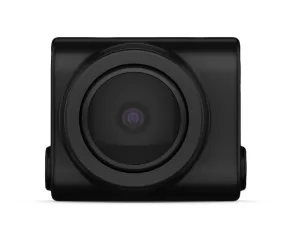
The GPS unit can interface with the Garmin BC 50 wireless backup camera.
OPTIONAL GARMIN ACCESSORIES
You really don’t need many accessories for this unit, but a few are available. The most basic is a 64GB microSDXC memory card that inserts into a slot in the RV 1095. This is normally not required, unless you want to save your tracked routes or have purchased optional software, such as the detailed City Navigator package, which may not be a concern for most RV owners. The map software and your basic trip routes can be stored on the internal storage within the GPS unless you like saving lots of history or repeated routes.
The unit can also interface with a Garmin BC 50 wireless backup camera if you don’t have such a camera in your RV. A fairly expensive ($499.99) Garmin PowerSwitch uses Bluetooth technology to wirelessly connect to a switchbox that can operate 12-volt accessories via the GPS touch-screen. This is targeted more at the off-road crowd rather than RV owners.
FINAL THOUGHTS
The Garmin RV 1095 and the RV 895 GPS units both are great choices for RV navigation. Designed with RV use in mind, either unit could become the most helpful tool in your travel arsenal. The flexibility of a dash mount or being able to snatch it up to operate by hand, combined with a large, super-sharp screen, are big pluses. Garmin’s GPS software is arguably the best and most accurate available, and free lifetime updates keep you current without having to open up your wallet to make a purchase. It has a ton of features helpful to an RV owner and access to a number of useful apps. The ability to choose the 10.1-inch diagonal screen of the RV 1095 or the smaller RV 895 with its 8-inch screen allows you to select the size best suited for your RV without downsizing to a unit with fewer features and less capability. It’s a keeper on my dash.
MORE INFORMATION
Garmin
(800) 800-1020
garmin.com
SPECIFICATIONS
Dimensions
RV 1095 — 9.65” W x 6.06” H x 0.83” D
RV 895 — 7.87” W x 4.92” H x 0.79” D
Weight
RV 1095 — 19.5 oz.
RV 895 — 14.3 oz.
Mounting Base Diameter
3.4”
Screen Resolution
1280 x 800 pixels
MSRP
RV 1095 —$899.99
RV 895 — $699.99